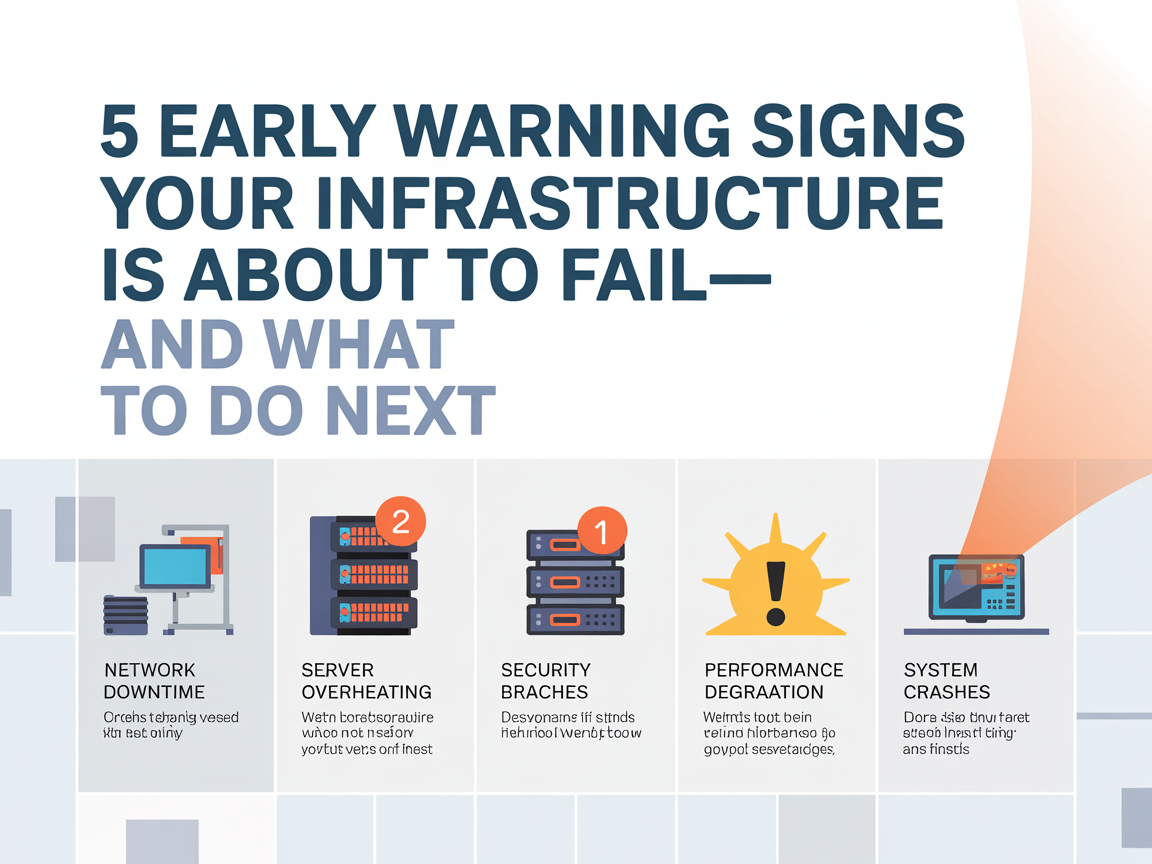
In today’s digital world, downtime isn’t just an inconvenience—it’s expensive. When your IT infrastructure fails, every minute impacts productivity, profit, customer trust, and even data security. The good news? IT failures rarely appear out of nowhere. Your systems start showing early warning signs—if you know how to read them.
Below are the 5 biggest red flags that your IT infrastructure is headed toward failure, and the smartest actions you can take to prevent it..
Content
1. Increasing System Slowdowns or Latency
If your applications, storage, or servers are suddenly slower than usual, don’t ignore it. Performance degradation usually means your infrastructure is overloaded, outdated, or experiencing hardware conflicts.
Why it matters: Slow systems gradually lead to full outages. Bottlenecks in storage arrays, servers, or networks often precede catastrophic failure.
What to do:
Monitor CPU, RAM, storage capacity, and network utilization
Run diagnostics to identify failing hardware or misconfigurations
Plan proactive upgrades or load balancing
If delays are occurring during peak times, your infrastructure may need scaling—not patching.
2. Frequent Hardware or Firmware Errors
Error logs, unexpected restarts, or firmware issues indicate unstable hardware. Multi-vendor environments can make troubleshooting harder because vendors often point fingers at each other instead of solving the issue.
What to do:
Inspect firmware compatibility across devices
Replace components showing repeated errors
Document every failure, especially if multiple vendors are involved
Consider partnering with specialists who offer cross-vendor troubleshooting and root-cause analysis—something many OEMs don’t provide.
3. Backup Failures or Corrupted Data
If backups are failing or inconsistently completing, treat it as a serious warning—not a “minor IT glitch.”
Why it matters: No backup = no recovery. When disaster hits, your data is gone.
What to do:
Test backups regularly and verify restore functionality
Store data redundantly (SAN + cloud or hybrid models)
Monitor logs for early signs of corruption
Many recovery experts stress that the worst time to test backups is during an actual outage. Prevention means verifying now.
4. Unsupported or End-of-Life Equipment
A large percentage of companies still run critical workloads on outdated or unsupported equipment. When a part fails, OEMs may decline support entirely—leaving your business down for days or weeks.
What to do:
Review hardware lifecycle status
Extend support through third-party maintenance (TPM) providers for 70% less than OEM contracts
Keep critical spare parts locally stocked
The smartest approach is maintaining flexibility—don’t be locked into expensive OEM refresh cycles when alternatives exist.
5. Escalating Downtime with No Root Cause
If outages keep happening but your vendor can’t explain why, you’re dealing with incomplete troubleshooting. Most OEM support follows a slow escalation path (tier-1 → tier-2 → tier-3), wasting precious hours while systems are offline.
What to do:
Demand root-cause remediation—not temporary fixes
Work with teams that provide direct access to senior engineers
Businesses protecting mission-critical IT infrastructure benefit from having experts who can diagnose, repair, and restore service immediately, not days later.
What to Do Next: Be Proactive, Not Reactive
Once any of these signs appear, don’t wait for a full outage. Instead:
Conduct a full infrastructure health assessment Create a lifecycle plan for aging or unsupported hardware Partner with a provider that offers emergency recovery, multi-vendor troubleshooting, and rapid on-site SLA support Ensure backups and disaster recovery workflows are tested and verifiable
Modern companies need more than uptime—they need resilience.
Ignoring early warning signs of failing IT infrastructure can lead to data loss, long outages, and expensive emergency fixes. Paying attention—and acting early—is far cheaper than recovering from a total failure.
If your systems show frequent slowdowns, unexpected errors, or unusual spikes in usage, it’s time to act before a major failure occurs. Learn practical solutions to prevent downtime and consider ways to advertise with us for expert insights.
I’m Kelly Hood! I blog about tech, how to use it, and what you should know. I love spending time with my family and sharing stories of the day with them.
I'm Kelly Hood! I blog about tech, how to use it, and what you should know. I love spending time with my family and sharing stories of the day with them.
Green technology innovations are no longer a distant dream or a “nice-to-have” concept. They are becoming essential tools for businesses, communities, and individuals who want to live…
In today’s technology-driven world, the role of a cloud computing engineer has become increasingly vital. Businesses are rapidly adopting cloud infrastructure to enhance efficiency, scalability, and collaboration….
The Oppo A78 5G bridges the gap between affordability and advanced technology, making 5G accessible to a much wider audience. It’s designed for people who want smooth…
In today’s digitally driven business landscape, safeguarding data is non-negotiable. As organizations rely increasingly on virtual machines, cloud platforms, and enterprise applications, the ability to restore only…
Staying updated with the latest tech news is crucial to understanding how technology shapes our world. As tech continues to evolve, staying informed about new trends in…
If you’re searching for a reliable platform to stay updated on the latest tech trends, expert gadget reviews, and software insights, look no further than www.eurotechtalk.com. This…